











Most of us talk to our earbuds already. Usually it is one word, said twice, slightly louder the second time, because the first attempt did not register. "Next." "Next!" Then you give up and pull the phone out of your pocket anyway, which rather defeats the point of the earbuds.
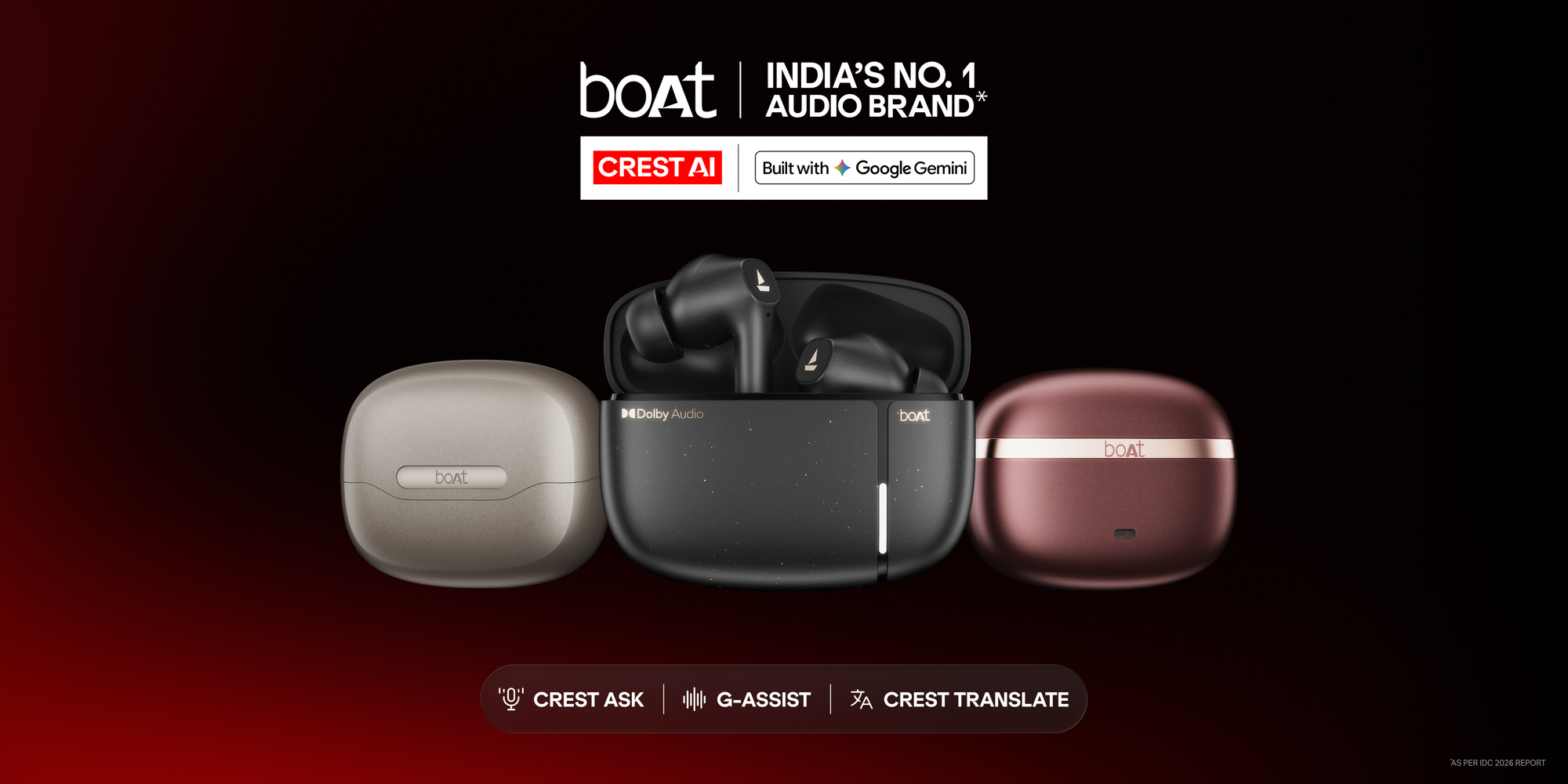
That gap between what these devices promise and what they actually manage is the thing Crest AI is aimed at. boAt has partnered with Google Cloud to build the platform with Google Gemini, and the part doing the heavy lifting is Gemini Live, which is designed for conversation rather than commands.
One honest note before the list. boAt has announced the platform, not a product. There is no Crest AI device sitting on Amazon right now that you can add to cart. So treat what follows as what the platform is built to do on the devices coming next, rather than a review of something already in your ears.
Can you actually have a conversation with it, or is it still just commands?
Conversation, going by the design. This is the whole point of Gemini Live and the main thing separating it from the assistant already on your phone.
The difference shows up in the second sentence. Ask a normal voice assistant about the weather and it answers. Ask a follow up, "and tomorrow?", and most of them have already forgotten what you were talking about. Gemini Live is built to hold the thread. You can ask something, hear the answer, push back on it, change the subject halfway, and it stays with you.
That sounds small written down. In practice it is the difference between a device you issue instructions to and one you talk to.
What is Crest Ask?
Crest Ask is the conversational layer, meant for the moments when a question turns up while you are in the middle of something else.
You are walking, a song is playing, and something occurs to you. Normally that thought either dies or costs you your phone, your screen and two minutes. Crest Ask is built for exactly that gap. Pause, ask, get an answer, carry on. boAt has described it as covering questions, learning about a topic, brainstorming, or just talking through something.
Whether it feels natural or slightly odd is going to depend entirely on how fast it responds. That is the sort of thing you can only judge with the hardware in hand.
Can it translate a conversation in real time?
Yes, and two way, which is the part that matters.
Crest Translate is built to handle both sides of a live conversation. Not you speaking into a phone, waiting, then turning the screen around so the other person can read it. Both directions, as it happens, including during calls.
Anyone who has tried to sort out a problem with a delivery agent who speaks one language while you speak another will understand why this is the feature worth watching. Same for a work call with a client in another state. The existing phone based options work, technically, but nobody has ever looked graceful using one.
Can it deal with my email without me touching the phone?
This is where it stops being an audio feature and starts being a work tool. Crest AI devices are being integrated with Google Workspace, which brings Gmail in.
The example boAt itself gives is "Help me respond to that email." You listen, you reply, you move on, all without the screen. For anyone who spends an hour a day in traffic and then arrives to an inbox that grew while they were driving, that hour stops being dead time.
Worth saying plainly: this depends on you living inside Google Workspace. If your office runs on Outlook, this particular item is not for you.
What about my calendar?
Google Calendar is part of the same Workspace integration. The example given is "Schedule a meeting for me."
Calendars are honestly the best possible use of a voice interface, because the thing you want to do is short, the thing you have to do to achieve it is not, and it always comes up when your hands are busy. You are leaving a meeting, someone says let us pick this up Thursday, and the choice is stop walking and open the app, or forget. Being able to just say it is a proper improvement.
Can it keep track of my to do list?
Google Tasks is included as well, alongside Gmail and Calendar, in the same set of hands free productivity functions.
The value here is capture speed. Most tasks are lost in the ten seconds between remembering and finding somewhere to write it down. If saying it out loud is enough, more of them survive.
Will it understand me if I do not speak in English?
This is the part built specifically for India, and it is the reason the Google Cloud partnership matters more here than it would elsewhere.
Crest AI is designed to work across India's linguistic range, including regional dialects and the context around what someone is saying rather than only the literal words. Google Cloud's India MD has said voice and vernacular are the next frontier for AI in the country, and Gemini Live is what is meant to make that scale.
The real test is not whether it handles clean textbook Hindi. It is whether it handles how people actually speak, which is usually two languages in one sentence, with the English word for anything technical. That is normal speech across most Indian cities, and assistants have historically been bad at it. Reserve judgement until it ships, but the intent is clearly aimed at the right problem.
Can I control the earbuds themselves by voice?
Yes. Device controls are on the confirmed list of what the platform supports.
Less exciting than translation, more useful day to day. Touch controls on earbuds are a compromise everybody has quietly accepted. You tap twice for one thing, thrice for another, hold for a third, and getting it wrong means the music stops when you wanted the volume down. Saying it is simply easier, particularly with wet hands, cold hands, or a bag in each hand.
What about music?
Music playback is supported through the same voice layer.
Nothing revolutionary in the feature itself. Where it improves is precision. Not just next and pause, but actually asking for the thing you want and getting it, without the three attempts and the eventual surrender to the phone.
Frequently asked questions
What is boAt Crest AI? Crest AI is boAt's AI platform for its next generation of smart audio devices, built with Google Gemini through a partnership with Google Cloud. It is designed to support conversation, translation, productivity tasks and device control by voice.
Is Crest AI built by boAt or by Google? Both. Crest AI is boAt's platform, built with Google Gemini and running on Google Cloud infrastructure, using Gemini Live on the Gemini Enterprise Agent Platform.
Which boAt products have Crest AI? None yet. boAt has announced the platform and its features. Devices carrying it are still to come.
What is the difference between Crest Ask and Crest Translate? Crest Ask is the conversational feature for questions, learning and brainstorming. Crest Translate handles real time two way translation between languages, including during calls.
Does Crest AI work in Indian languages? It is designed to, including regional dialects and contextual understanding rather than only literal word matching. This is one of the stated aims of the Google Cloud partnership.
Do I need a Google account to use it? For the Workspace features, yes. Gmail, Google Calendar and Google Tasks control requires a Google account. The conversational and translation features do not depend on it.