

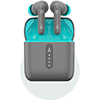








Applicable Models: Airdopes Prime Supreme, Airdopes Prime 300, Airdopes Prime 800D, Airdopes Prime Raga, Airdopes Prime 701 ANC, Nirvana Space 2, and Nirvana Ion ANC 2
(Disclaimer:For the Airdopes Prime 701 ANC, please note that only select variants support Google Find Hub.)
This guide relates to your boAt earbuds and their integration with Google's Find Hub app.
You can disable these earbuds to stop them from sharing their location. Once disabled, they will no longer report to the Google Find Hub network, and the owner will no longer receive updates on their location.
If you receive a message on your Android device that an unfamiliar pair of these earbuds has been detected near you, you can make the device ring through the system notification to help locate it. Once found, use the steps described below to disable it. The owner will no longer receive location updates, and it will stop triggering unknown tracker alerts.
How to Disable Location Tracking:
(For the models:
Airdopes Prime 701 ANC and Nirvana Space 2)
- Long-press the Left Bud for 10 seconds until you hear the audio prompt.
- Long-press the Right Bud for 10 seconds until you hear the audio prompt.
(For the models:
Airdopes Prime Supreme, Airdopes Prime 300, Airdopes Prime 800D, Airdopes Prime Raga)
- Put both buds inside the charging case and close the lid.
(For the models: Nirvana Ion ANC 2)
- Tap on the Left Bud 5 times to disable tracking.
- Tap on the Right Bud 5 times to disable tracking.
How to Re-enable Location Tracking:
- Put both buds inside the charging case and close the lid.
- Open the case and take the buds out. The earbuds will be powered ON, and the location tracking features will be re-enabled.


